n8n Integration
n8n is a workflow automation platform with Advanced AI nodes for agents, chat models, memory, and tools. Connect an n8n workflow to LLM API to use models from multiple providers through one API key and endpoint.
This guide creates the LLM API credential directly inside a workflow. This is the recommended and fastest method because n8n creates the exact credential type required by the selected model node.
Prerequisites
- An LLM API account
- An n8n instance where you can create workflows and credentials
Method 1: Add Credentials Directly Inside a Workflow (Recommended)
Get Your LLM API Key
- Open the LLM API dashboard.
- Click Create Key to Start.
- Copy the new API key. It is shown only once.
- Store the key securely, such as in a password manager.
WARNING
Treat your API key like a password. Do not include it in exported workflows, screenshots, or
source control.
Add an Advanced AI Node
- Open an existing workflow or create a new one.
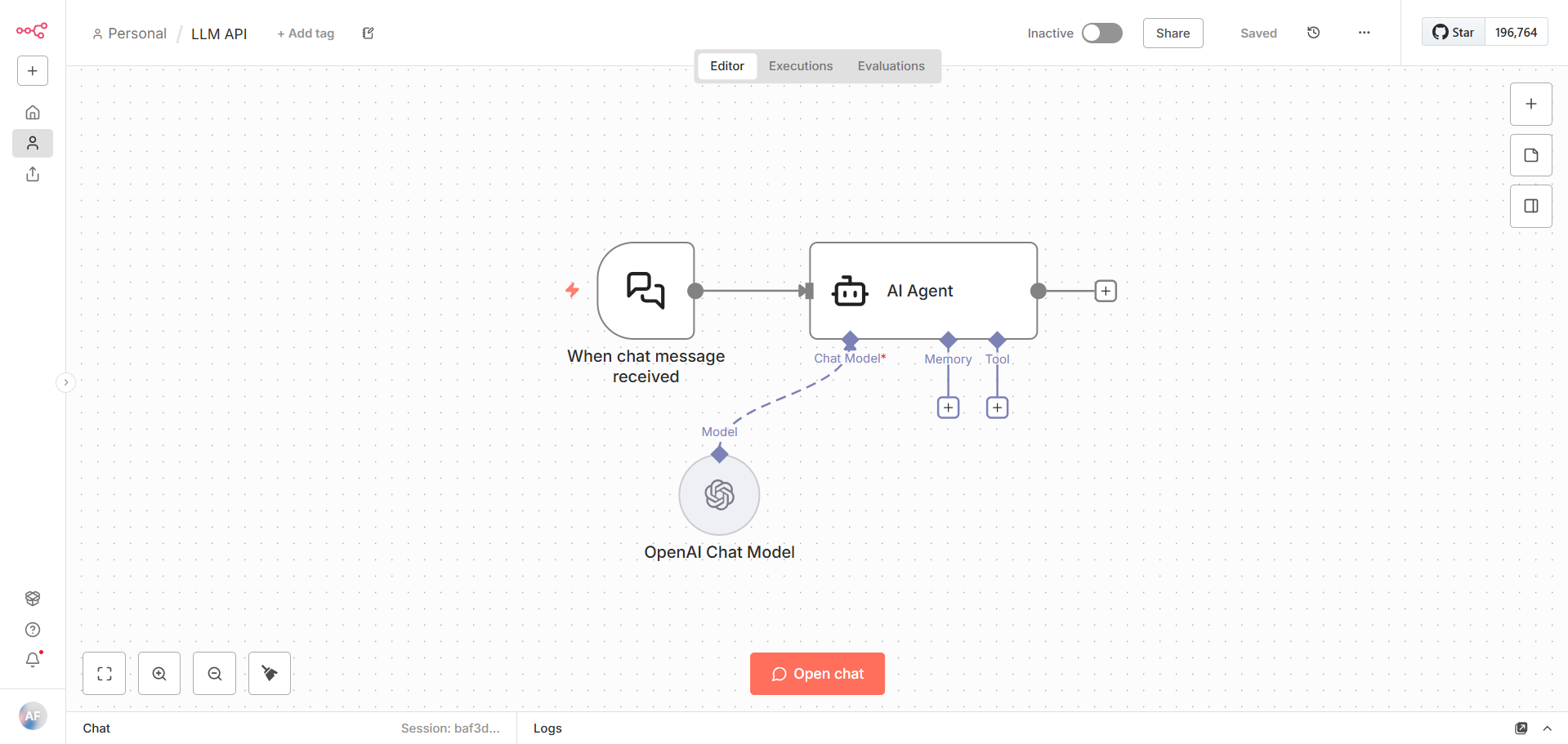
- Add an AI Agent, or another Advanced AI node that has a Chat Model input.
- For a chat workflow, connect When chat message received to the AI Agent's main input.
Add the Model Subnode
- Click the + connector beneath Chat Model on the AI Agent.
- Search for and select OpenAI Chat Model.
- Open the new model subnode to configure it.
INFO
Use OpenAI Chat Model for this integration because LLM API exposes an OpenAI-compatible
endpoint. Native Google Gemini or Anthropic model nodes connect directly to those providers
instead of routing requests through LLM API.
Create the Credential
- In the OpenAI Chat Model parameters, open Credential for OpenAI.
- Select Create New Credential.
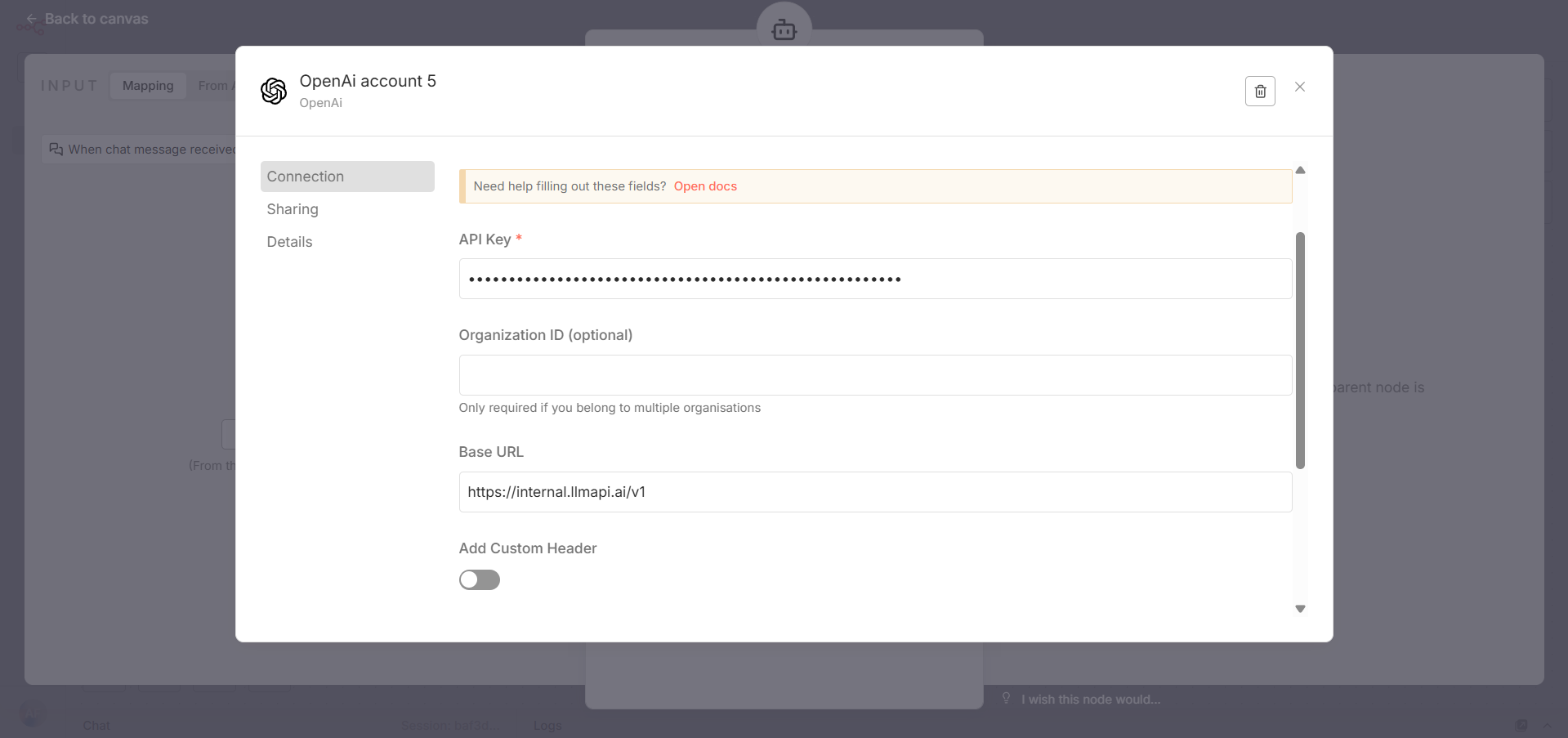
- Enter these values:
- API Key: your LLM API key
- Organization ID: leave blank
- Base URL:
https://api.llmapi.ai/v1
- Add Custom Header: off
- Click Save in the upper-right corner of the credential window, then close it.
INFO
The screenshot shows where to enter the custom URL. Use the public https://api.llmapi.ai/v1
endpoint shown above for your configuration.
n8n saves the credential for reuse, so you can select it from other compatible model nodes without pasting the key again.
Choose a Model
- Return to the OpenAI Chat Model parameters.
- Make sure the new LLM API credential is selected.
- Select the model you want to use.
- Save the model node and the workflow.
Use an exact model ID from the models page. The models available in n8n depend on the access granted to your LLM API key.
Test the Workflow
- Click Open chat if the workflow uses When chat message received.
- Send a short test message.
- Confirm that the AI Agent returns a response.
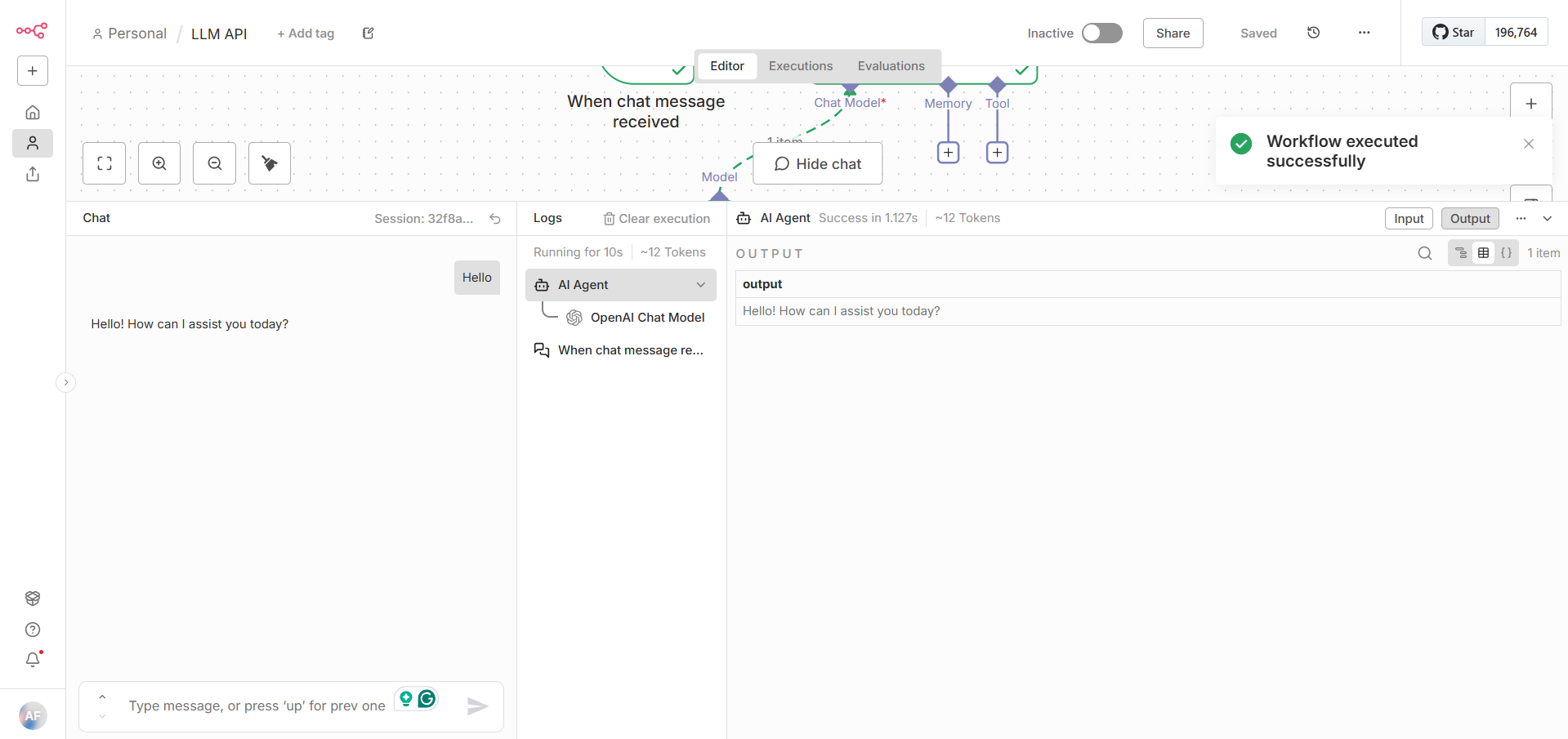
The request is routed through LLM API and appears in your LLM API usage analytics.
Troubleshooting
Create New Credential Is Missing
Open the OpenAI Chat Model subnode rather than the AI Agent itself. The credential selector belongs to the model subnode's parameter panel.
Authentication or 401 Error
- Edit the saved credential and paste the LLM API key again without spaces or quotation marks.
- Confirm that the key is active in the LLM API dashboard.
- Make sure the OpenAI Chat Model uses the intended credential.
404 or Connection Error
- Confirm that Base URL is exactly
https://api.llmapi.ai/v1.
- Enter the base URL, not the full
/chat/completions path.
- Confirm that the n8n instance can make outbound HTTPS requests to
api.llmapi.ai.
Model Is Missing or Not Found
- Copy the exact model ID from the models page.
- Reopen the model node after saving the credential so n8n can refresh its model list.
- Verify that the API key has access to the selected model.
The AI Agent Does Not Run
Confirm that the workflow has both required connections:
When chat message received ──> AI Agent: Main input
OpenAI Chat Model          ──> AI Agent: Chat Model
Save the workflow, reopen the chat, and send the test message again.
Next Steps
- Browse the available LLM API models.
- Add memory or tool subnodes to the AI Agent.
- Reuse the saved LLM API credential in other n8n workflows.